

Builder API
Every email is composed from lines. You add a line, configure it fluently and jump back to the
builder with .and() — or finish directly with .build():
HtmlTextEmail email = EmailTemplateBuilder.builder() .text("Hello").h1().center().and() // configure line, back to builder .button("Action", "https://…").blue().and() .build(); // render html + textHeader and footer blocks are kept in place no matter when you add them — everything else appears in the order it was added.
Header
Section titled “Header”A header with a logo (optionally with a dark-mode variant) or a plain text title:
.header()    .logo("https://example.com/logo.png").logoHeight(41)    .logoDark("https://example.com/logo-white.png") // used when the client is in dark mode    .linkUrl("https://example.com").and()
// or text-only.header().text("Invoice #10456").and()
Preheader
Section titled “Preheader”The hidden preview text email clients show next to the subject in the inbox list. It is not rendered in the visible email and not part of the text version:
.preheader("Your order has shipped 🎉").text("Welcome, Marie!").h1().center().and().text("A regular paragraph.").and().text("Styled variants…").bold().italic().underline().color("#5f7bb8").right().and()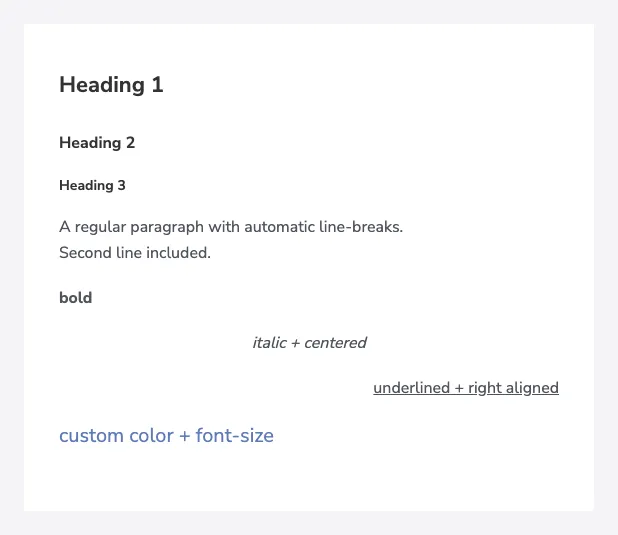
Options: h1() / h2() / h3(), alignment (center(), right()), bold() / lighter(),
italic(), underline() / overline() / lineThrough(), fontSize(…), color(…) and
linkUrl(…) to wrap the text in a link. Line breaks (\n) are converted to <br> automatically.
When you need raw markup, provide the HTML and its plain-text counterpart:
.html("If you have any questions, <a href=\"mailto:support@example.com\">email us</a>.", "If you have any questions, email us: support@example.com").and()Button
Section titled “Button”.button("Do this Next", "https://example.com/next").blue().and().button("Download PDF", "https://example.com/invoice.pdf").gray().right().and().button("Custom", "https://example.com").color(new ColorStyleSimple("#5f7bb8")).left().and()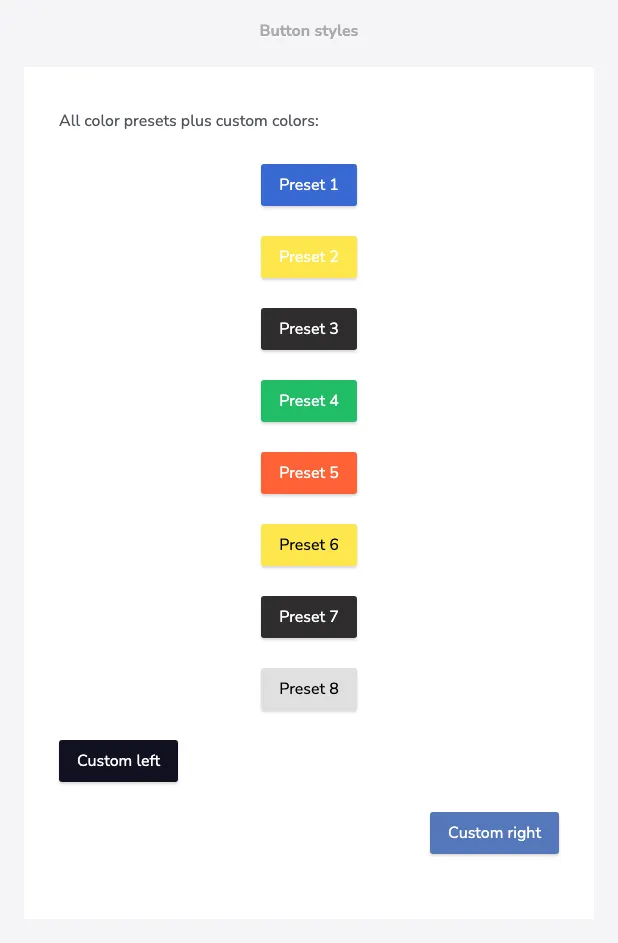
Presets: blue(), green(), red(), yellow(), black(), gray() — or any custom
text/background combination via color(new ColorStyleSimple(text, bg)).
.image("https://example.com/photo.jpg") .width(300) .alt("description") .linkUrl("https://example.com") .srcDark("https://example.com/photo-dark.jpg") // optional dark-mode variant.and()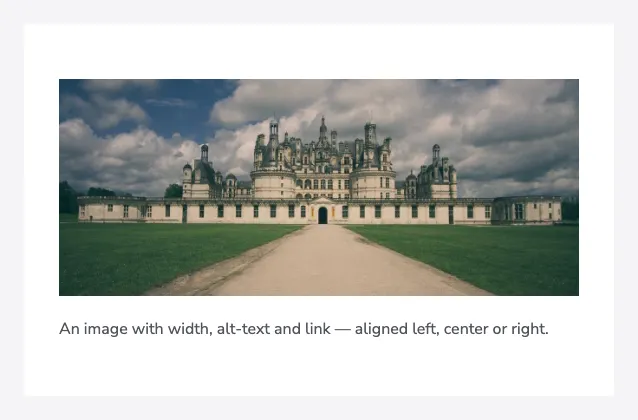
Side image
Section titled “Side image”An image next to a small content column — each side block can contain its own texts, dividers and buttons:
.sideImage("https://example.com/photo.jpg").width(200).linkUrl("https://example.com") .imageVerticalAlign(VerticalAlignment.TOP) .text("Side image block").h2().and() .text("Text shown next to the image.").and() .hr().and() .button("Take action", "https://example.com").red().right().and().and()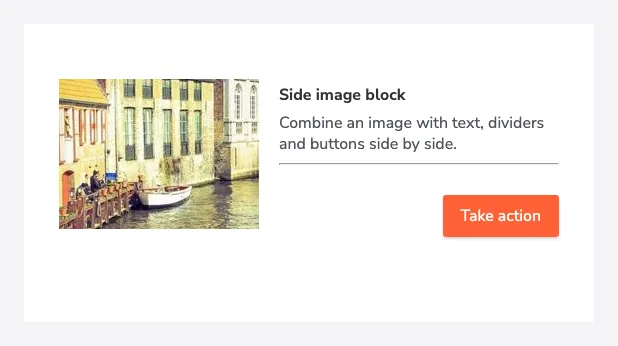
Use .right() to place the image on the right side.
Gallery
Section titled “Gallery”A photo grid with configurable columns — either simple photos or tiles with title and text:
.gallery()    .newRowAfter(3)    .cellPadding(5)    .photos(Arrays.asList(url1, url2, url3, url4, url5, url6)).and()
// tiles with additional content.gallery()    .photo(url1).and()    .photo(url2)        .linkUrl("https://example.com")        .title("tile title")        .text("Headline").h1().and()        .text("Some longer text below…").and()    .and().and()
Attributes (key/value)
Section titled “Attributes (key/value)”A compact table for reference data like login details:
.attribute() .keyValue("Login Page", "https://example.com/login") .keyValue("Username", "marie").and()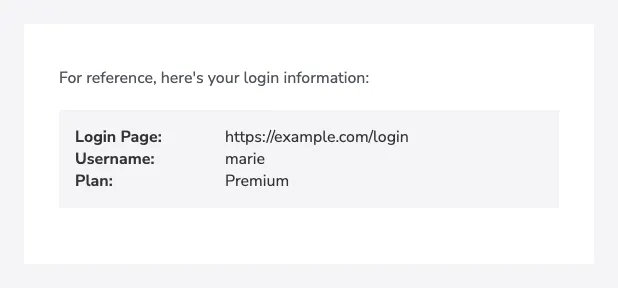
Divider & spacing
Section titled “Divider & spacing”.hr().and() // horizontal line.space().and() // vertical spacing.space().height(30).and() // custom height in px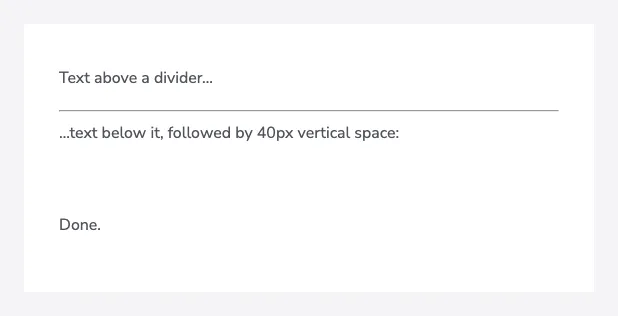
The space line renders reliably in Outlook, too.
Tables
Section titled “Tables”Invoice-style tables with header, item and footer rows. Number columns take a
DecimalFormat-pattern:
.tableSimple("#,##0.00 '€'") .headerRow("Description", "Amount") .itemRow("Special Product\nSome extra explanation", BigDecimal.valueOf(1333, 2)) .itemRow("Short service", BigDecimal.valueOf(103, 1)) .footerRow("Total", BigDecimal.valueOf(2363, 2)).and()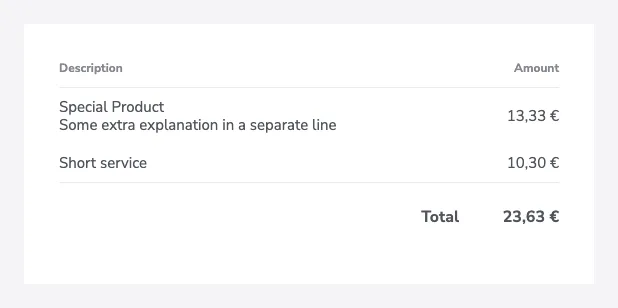
Variants:
tableSimple(numberFormat)— description + amounttableSimpleWithImage(numberFormat)— preview image + description + amounttableFourColumn(taxFormat, amountFormat)— description, tax, amount and total column
For full control implement the TableLine interface and pass it via .table(customTable) — you
define column layouts (ColumnConfig: width, colspan, alignment, number format, styling) and cell
types (TableCellImage, TableCellLink, TableCellHtml). See the
custom table example
in the test sources.
Footer
Section titled “Footer”Footer blocks always render below the content box:
.copyright("rocketbase").url("https://www.rocketbase.io").suffix(". All rights reserved.").and().footerText("Company Name, LLC\n1234 Street Rd.\nSuite 1234").and().footerHtml("<a href=\"https://example.com/unsubscribe\">Unsubscribe</a>", "Unsubscribe: https://example.com/unsubscribe").and().footerImage("https://example.com/footer.png").width(100).linkUrl("https://example.com").and().footerHr().and()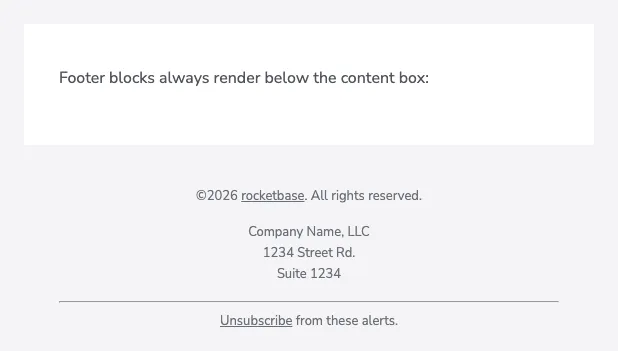
copyright(name) renders ©<current year> <name> automatically.